DRK · AI video intelligence
Nobody can watch
every camera.
DRK does.
Most CCTV is only checked after something has gone wrong, and by then the footage is just a record of it. DRK watches every camera you connect, around the clock, and alerts your team the moment it matters: an unknown face, someone where they shouldn't be, fire or smoke. On the cameras you already own.
दृक् (dṛk) is Sanskrit for sight.
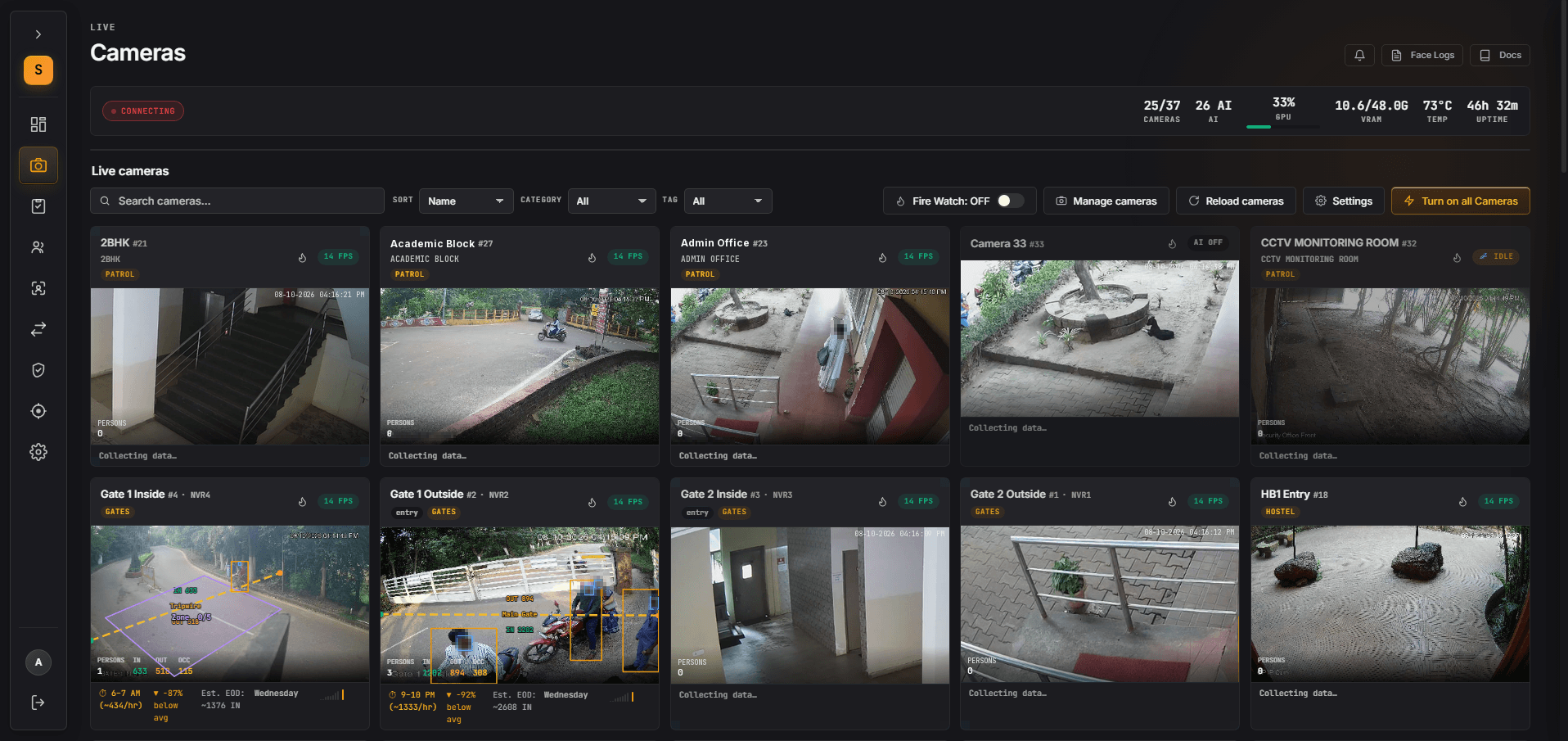
The problem
Recorded is not the same as secured.
Most sites have far more cameras than people to watch them. The footage piles up, and it's only opened after something has already happened.
Too many screens
No one can watch dozens of feeds at once, let alone all night.
Found too late
Footage is searched after the incident. By then the person is gone and the damage is done.
Cameras fail silently
A camera stops sending video and nobody notices, until the day you need it.
DRK watches every camera you connect, around the clock, and tells your team only what needs a person.
See it working
One camera, many ways of seeing.
Every camera can run in the mode it needs. These are real DRK screens, with faces blurred for this page.
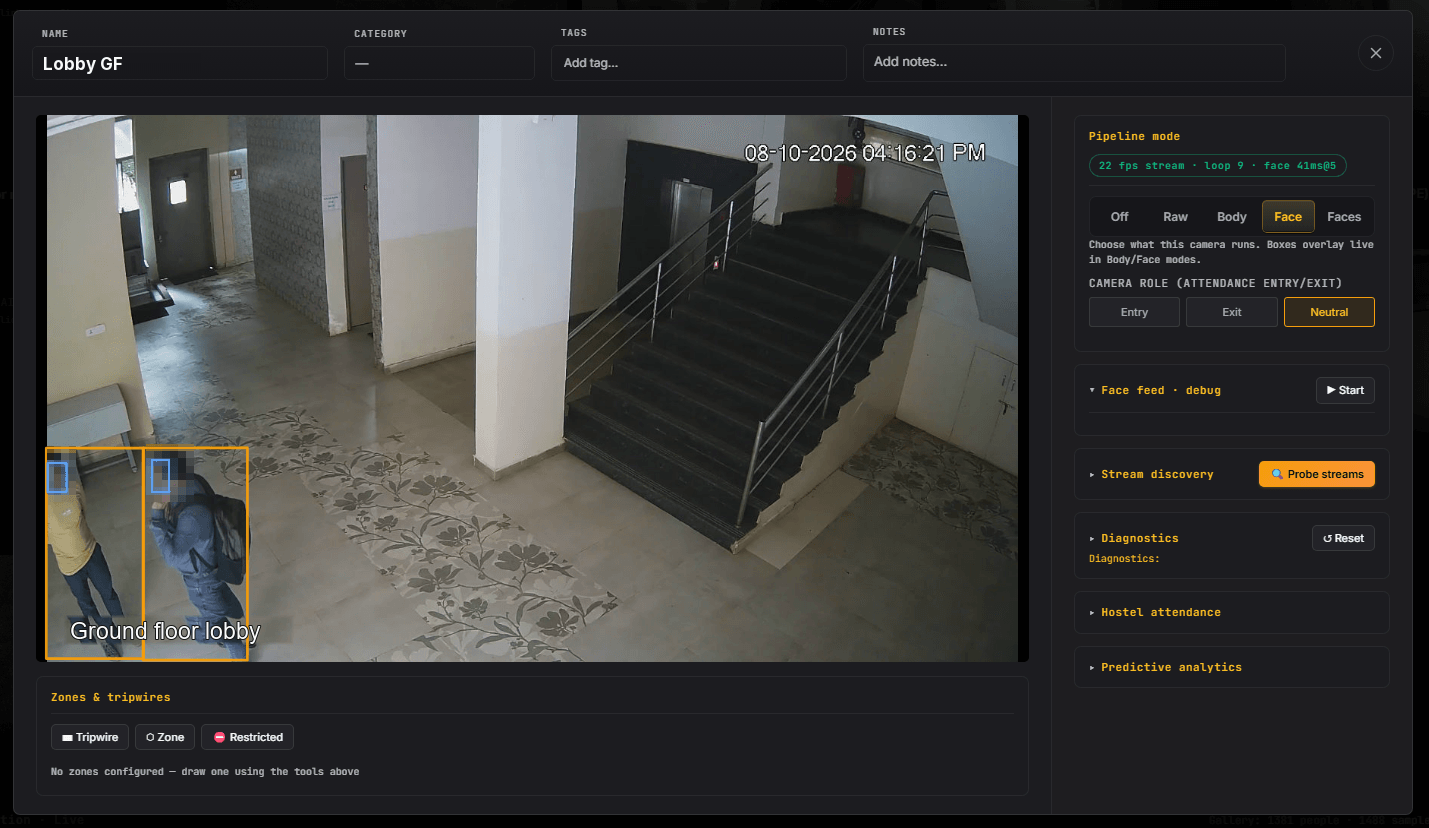
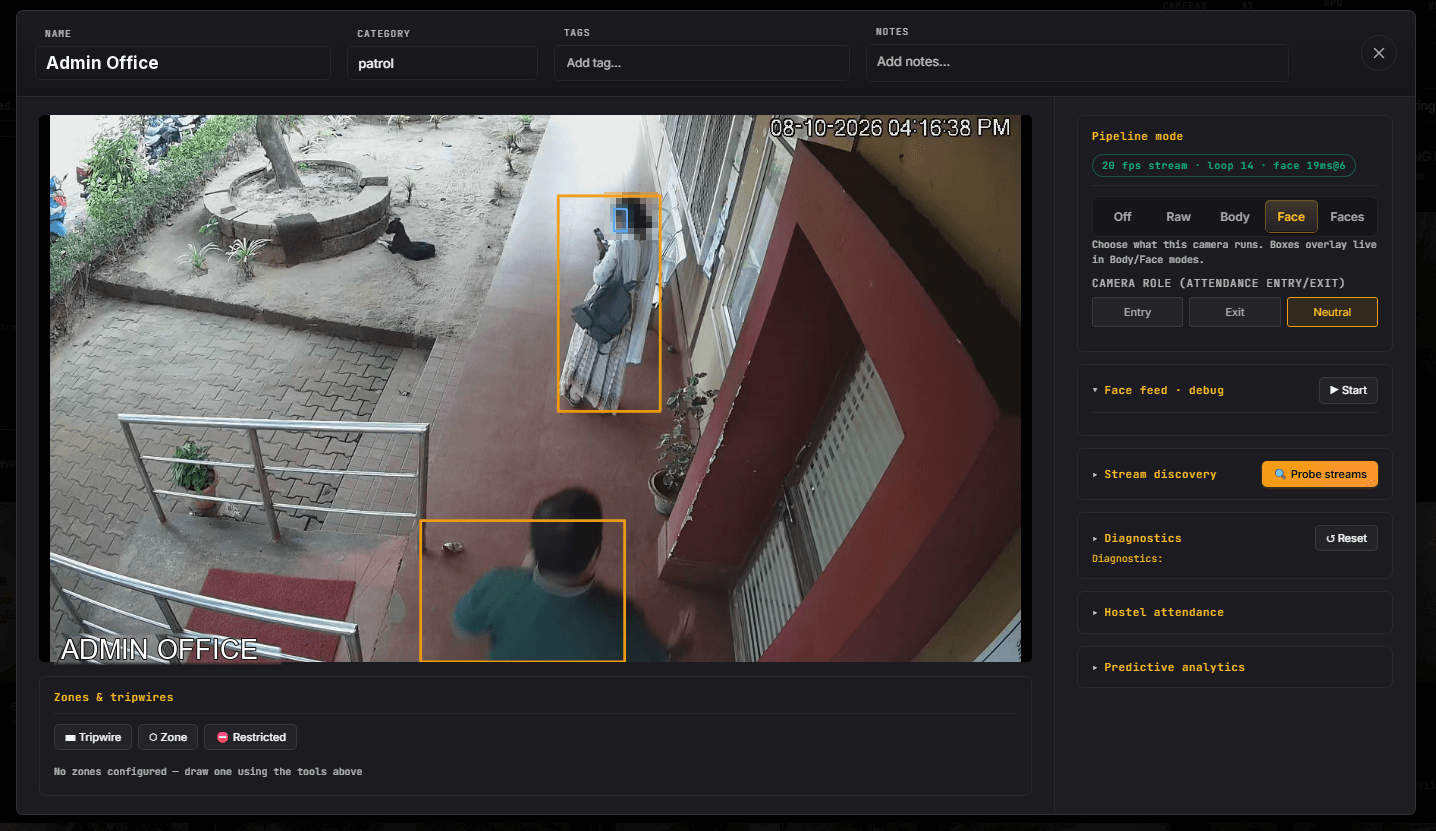
Switch a camera to face mode and DRK boxes every person and every face, live.
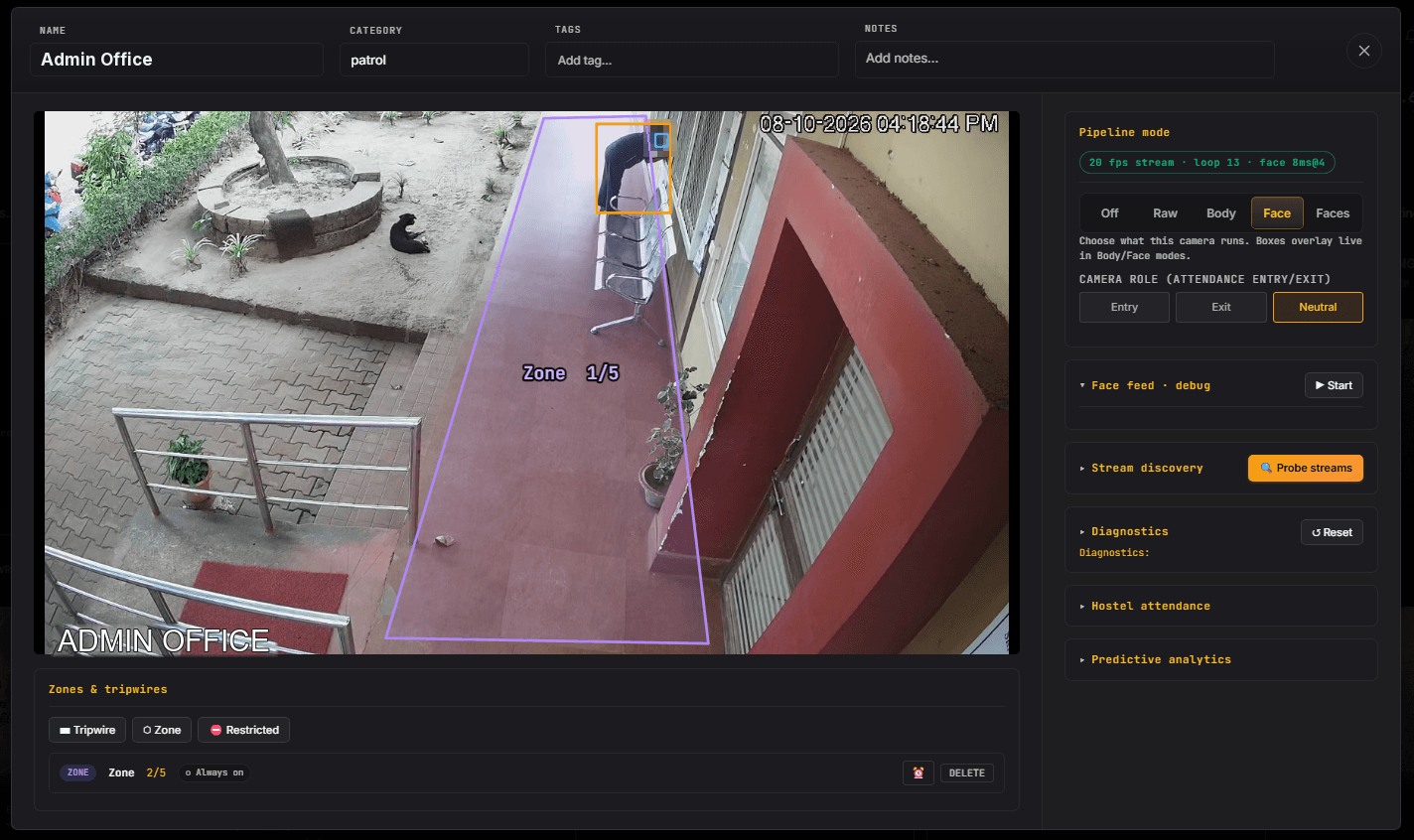
Zones & line counts
Draw a zone. DRK keeps watch.
Mark an area or a line on any camera's picture. DRK counts who crosses it and who is inside, live.
- Lines that count people in and out.
- Occupancy zones that show how many are inside.
- Restricted zones with their own schedules.
- Loitering alerts when someone stays too long.
What DRK does
Every camera becomes a sensor that knows what matters.
Pick the capabilities each camera needs. Fire watch on the kitchen, attendance at the hostel gate, a restricted zone on the store room.
Face recognition
Matches faces against the people you enrol, and flags anyone it doesn't know.
People detection & tracking
Finds people in every frame and follows each one with a steady ID as they move.
Automated attendance
Marks people present when they're recognised at an entry camera. At night, it lists who hasn't come back.
Zones & line counts
Draw lines that count people in and out, occupancy zones, and restricted zones with their own schedules and loitering alerts.
Fire & smoke detection
Switch it on per camera. DRK gathers evidence across frames before it raises the alarm.
Event clips
Every alert comes with a short clip from just before and after, so you see what happened.
Footfall analytics
Hourly patterns and peak hours for each camera, gate and zone.
Idle camera alerts
Know when a camera stops sending video, before you need the footage.
Fall detection
Spot a person who has fallen and alert someone nearby.
How it works
Your cameras. A GPU server on site. A cloud app for your team.
- 01
Connect your cameras
DRK reads your existing IP cameras and NVRs over RTSP and ONVIF, with ready presets for Hikvision, CP Plus, Dahua and Uniview.
- 02
Analyse on site
A GPU server at your premises does the heavy lifting, so video is processed where it's recorded.
- 03
Work from the cloud app
Your team sees live alerts, attendance, zones and reports from anywhere.
- 04
Alert the right people
Fire alarms go out by email, WhatsApp, SMS, Telegram or webhook, and escalate if nobody acknowledges them.
Existing cameras
RTSP and ONVIF IP cameras and NVRs.
On-site GPU server
Runs the video AI at your premises.
Cloud app
Alerts, attendance and reports for your team.
Built for control
Powerful, and accountable.
Video AI touches people's privacy. DRK is built so you decide who sees what, and every action is on record.
- User roles, so each person sees only what their job needs.
- An audit log of who did what, and when.
- Camera passwords stored encrypted.
- Event clips and face events cleared automatically after 30 days.
- Capabilities switched on camera by camera, not all at once.
- Video analysed on a server at your site.
Read how we think about face data on our Trust & privacy page.
Where it fits
Made for the places people come and go.
Universities
Attendance at hostel entries, footfall at the gates and fire watch in mess kitchens, across the campus.
Industrial areas
Restricted zones that alert after hours, fire and smoke watch, and people counts at every gate.
Offices
Recognise staff at the door, flag faces it doesn't know, and see footfall hour by hour.
Residential societies
Know who came through the gate, catch loitering at night, and get alerts for fire and smoke.
Hostels
Attendance as residents walk in, and a clear list at night of who hasn't returned.
Gates & entrances
Recognise staff, flag unknown visitors, and count footfall in and out.
Kitchens & stores
Fire and smoke watch, and restricted zones that alert after hours.
See DRK on your own cameras.
Tell us how many cameras and which NVRs you have. We'll show you what DRK can see.