Campus Payments · Cashless canteens
The campus canteen,
without cash.
Cashless canteens for universities and offices. Finance loads credits, people scan the counter QR and pay with a PIN, and canteens claim settlement. Every rupee stays on the ledger.
Who it's for
Universities and offices with their own canteens.
Universities
Students and staff pay at campus canteens with credits the university loads.
Offices
Employees spend their meal credits at your own cafeterias, and nowhere else.
What it fixes
Cash and change at the counter
Scan, enter a PIN, done.
Allowances nobody can track
Credits that expire when you say, spent only at your canteens.
Canteen bills checked by hand
One claim per canteen, matched to every payment.
Misuse and disputes
A PIN on every payment, and a log nothing can erase.
Card machines to buy
Runs on the phones people already carry.
How it works
One loop. Four steps. Nothing lost.
Credits move from finance to people to canteens and back to finance as a settled claim. The platform keeps the ledger. The money moves through your own bank.
- 01
Finance loads credits
Credit one person, everyone, or a whole sheet from Excel. Credits are tied to a semester and expire on schedule.
- 02
Scan and pay
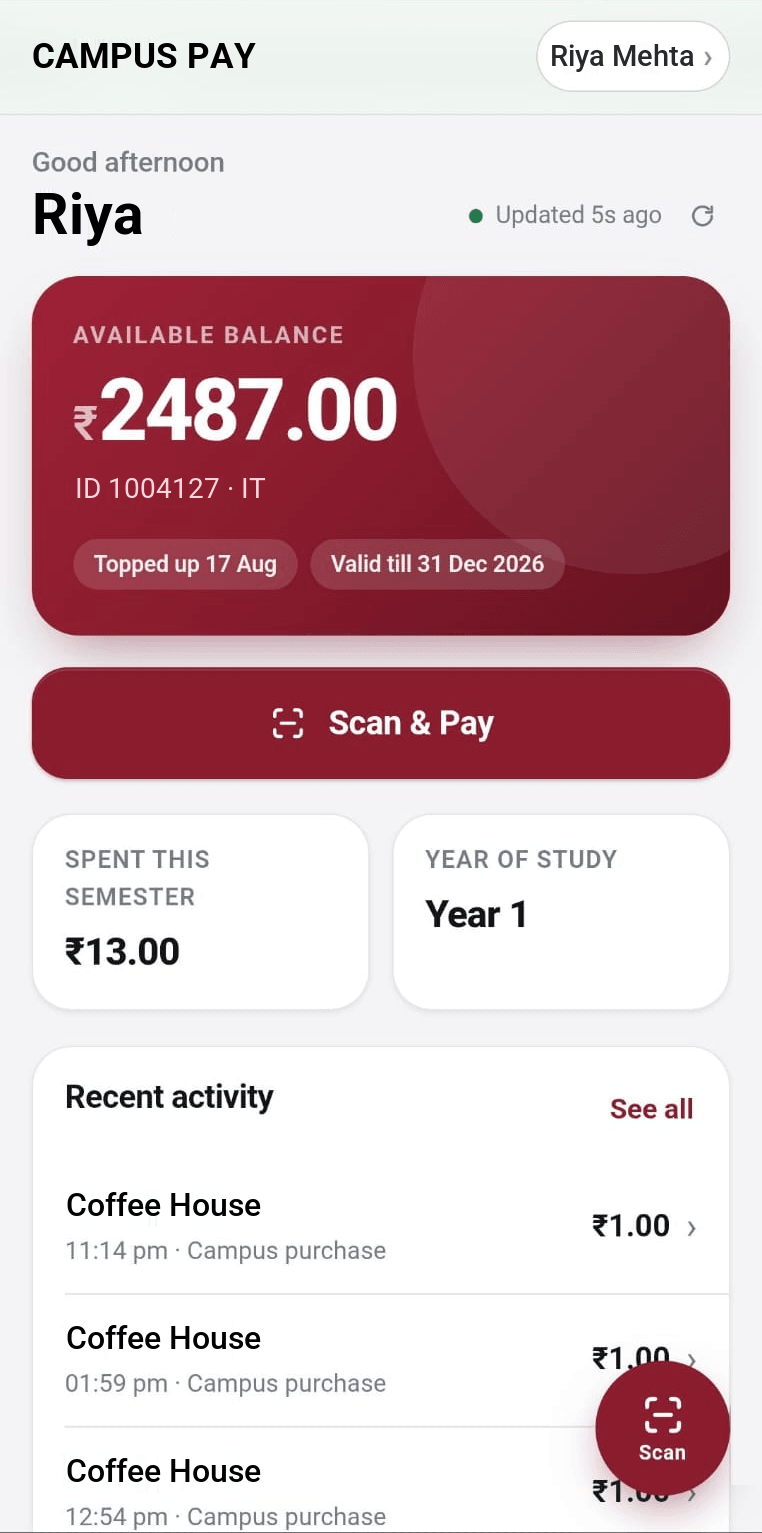
At the counter, the student or staff member scans the canteen's QR, checks the amount and enters their PIN.
- 03
Canteen claims
Each canteen sees its sales live and submits one claim for everything not yet settled.
- 04
Finance settles
Finance checks the claim against its payments, pays by bank transfer and records the reference.
One platform, three views
Everyone gets exactly what they need.
For finance
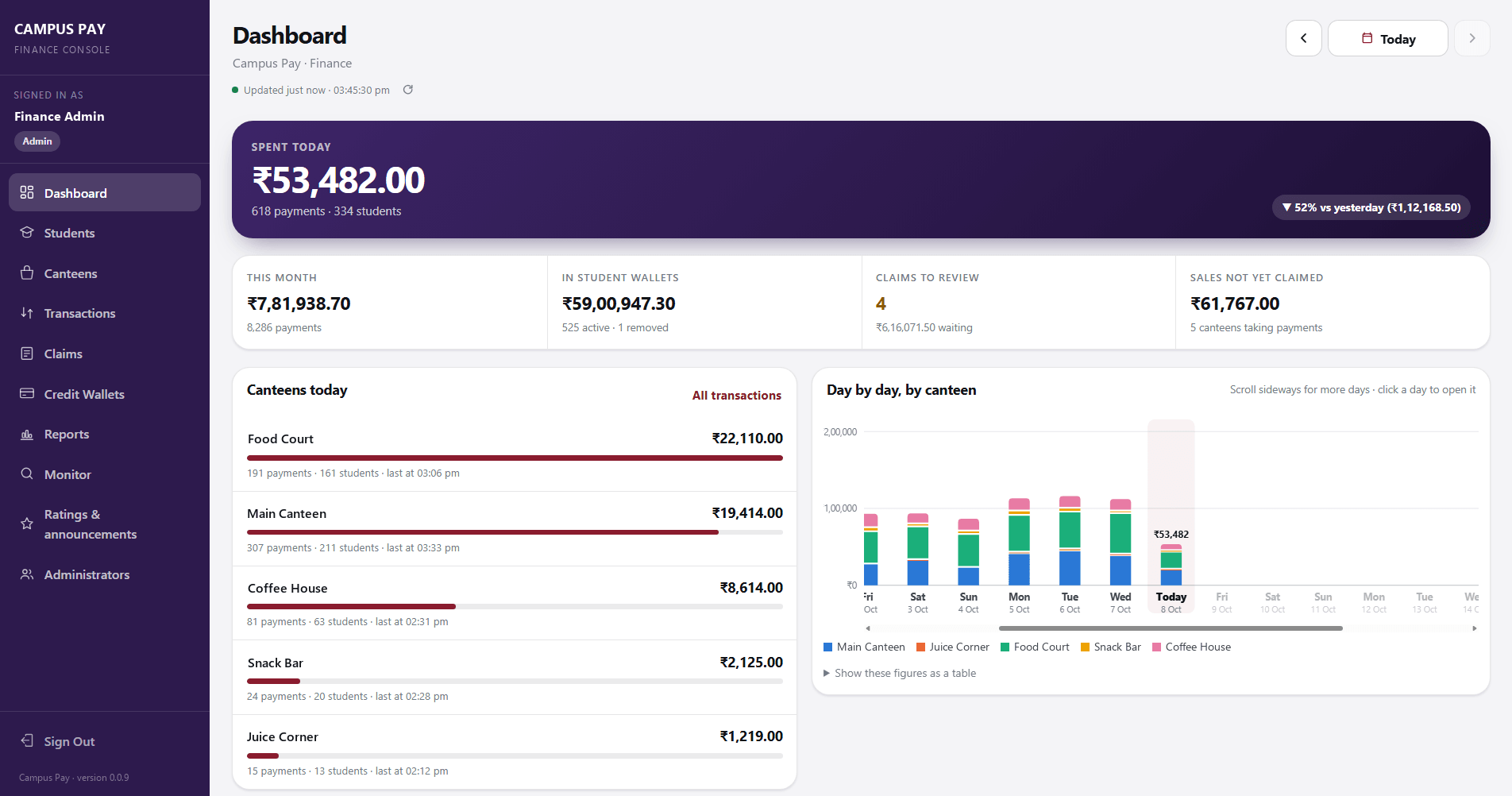
Add people one by one or from Excel. Credit, adjust and reverse with reasons. Approve claims, run reports, and export every list.
For students & staff
See your balance and history, pay in seconds with a PIN, and set or reset that PIN yourself.
For canteens
Today's sales and the unsettled total, live. One counter can have several staff, and one person can cover several canteens.
Safeguards
Built so every rupee can be accounted for.
Closed-loop payments only work if people trust them. These are the checks behind every scan.
- Counter QR codes are signed. A fake poster is rejected.
- One-time QR codes for an exact amount, valid for five minutes.
- A 4-digit PIN on every payment, with lockout after repeated wrong tries.
- Protection against the same payment being charged twice.
- Balances can never go negative.
- Every reversal and adjustment needs a written reason.
- A full activity log. Nothing is ever deleted.
- Unusual activity is flagged for finance to review.
Credits that follow the calendar
Credits are issued by the institution and tied to a semester. They expire on the date you set, and the oldest credits are always spent first.
Your bank, your money
The platform never holds money. It keeps the ledger; finance pays canteens through its own bank and records the transfer against each claim.
Take your canteens cashless.
Tell us how many people and counters you have. We'll show you the whole loop, from credits to settlement.